Modern sticky notes for Linux with native Wayland support.
Shareware Linux
PostNote is a modern, high-performance Post-it style sticky note app for Linux with native Wayland support. Inspired by the work of Umang Varma (Indicator Stickynotes), PostNote offers convenient management of multiple notes through a system tray indicator.
There are many polished Post-it style apps for Windows and macOS, but Linux Wayland has had far fewer native options in this category. PostNote was developed to fill that gap.
All resources are embedded in the binary for portability — download and run, nothing else to install.

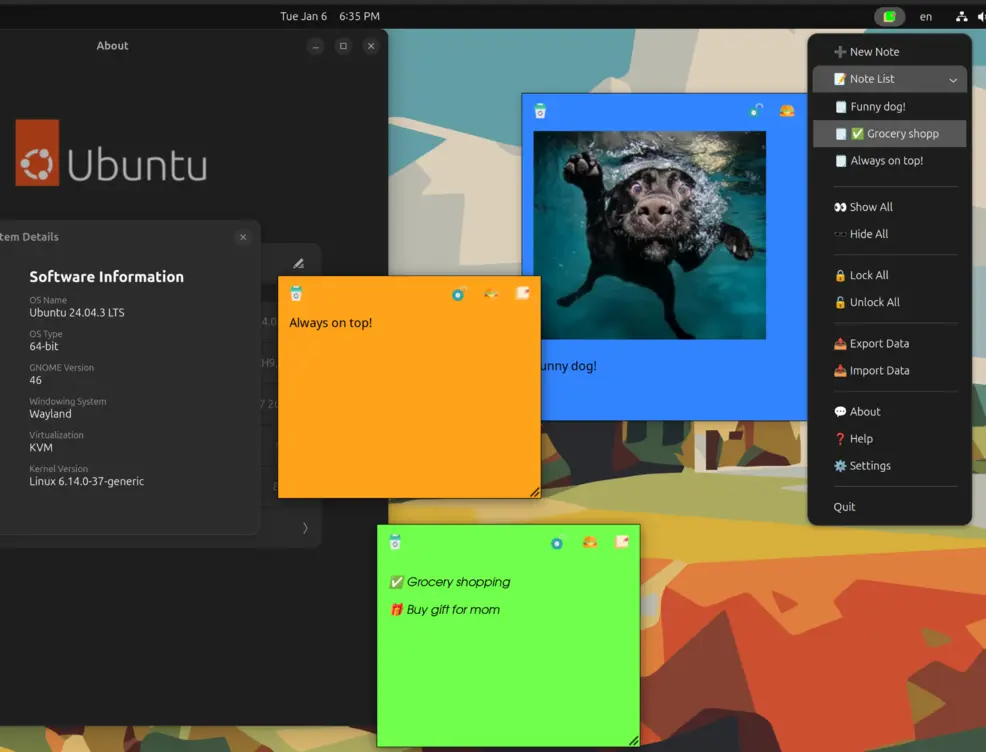
Running natively on GNOME with Wayland, with full window position saving via the window-calls extension.
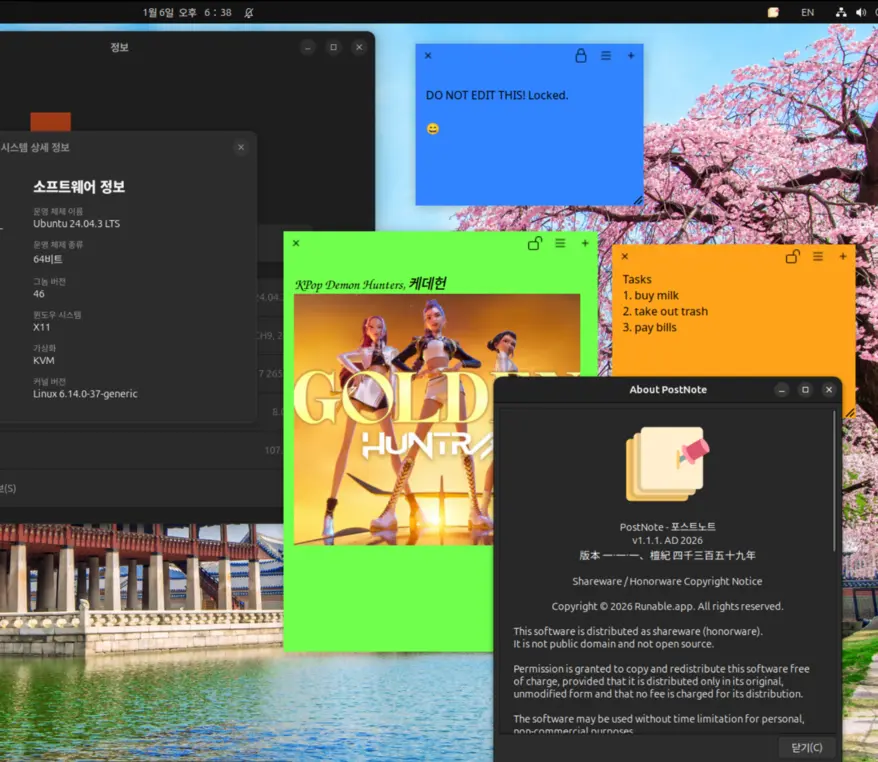
Classic X11 support with standard GTK window positioning. Works out of the box on any X11 desktop.
Manage all your notes from the system tray indicator — create, show, hide, lock, and organize.
Customizable colors and fonts per category. Note button designs can be changed to suit your preference.
Lock notes to prevent accidental editing. Unlock when you need to make changes.
Paste one small image into each note — perfect for quick visual references.
Ctrl+W to delete, Ctrl+L to lock, Ctrl+N for new note. Fast and efficient workflows.
Export and import your note data for backup or transfer between machines.
PostNote supports saving and restoring window positions on Wayland when using the window-calls GNOME extension.
With the extension installed:
Without the extension (or on X11):
Install the window-calls GNOME extension for window position saving on Wayland.
Required packages (usually pre-installed on Ubuntu/Debian):
sudo apt install \
  libgtk-3-0 \
libayatana-appindicator3-0.1Optimized for GNOME desktop environment with AppIndicator support. Uses system GTK libraries.
Copyright © 2026 Runable.app. All rights reserved.
This software is distributed as shareware (honorware). It is not public domain and not open source.
Permission is granted to copy and redistribute this software free of charge, provided that it is distributed only in its original, unmodified form and that no fee is charged for its distribution.
The software may be used without time limitation for personal, non-commercial purposes. Payment of a license fee is voluntary but encouraged to support continued development.
Commercial use of this software requires the purchase of a commercial license.
Modification, reverse engineering, decompilation, or redistribution of modified versions is strictly prohibited without prior written permission from the copyright holder.
This software is provided "as is", without warranty of any kind, express or implied, including but not limited to the warranties of merchantability, fitness for a particular purpose, and noninfringement.
 Runable.app